

Configuration
Typically, you don’t need to modify the settings, as LifeOS provides an out-of-the-box example vault with all configurations pre-adapted for its directory structure.
You may need to adjust the plugin settings in the following scenarios:
-
Changing the default directories in the example vault, such as the locations for periodic notes, topic notes, etc.
-
Modifying headings in the example vault’s diary templates, like "Habit Tracking," "Project List," or adjusting headings in seasonal templates, such as "Key Dimensions."
-
Using a self-hosted Usememos service.
-
Subscribing to a remote calendar.
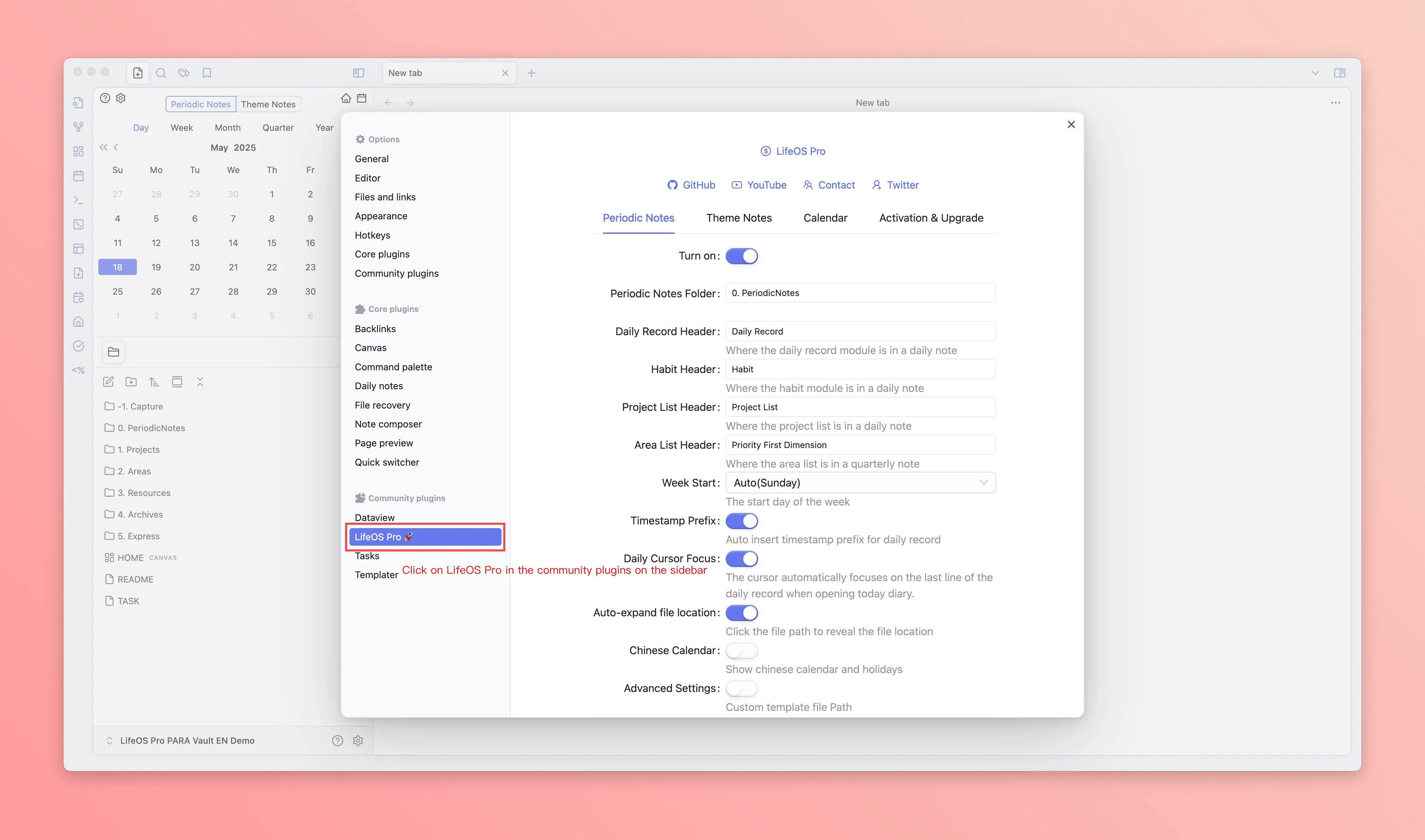
So, how do you access the LifeOS plugin settings? Here’s a step-by-step guide using the LifeOS Pro plugin as an example:
First, click the gear icon in the bottom-left corner.
Next, select "LifeOS Pro" from the third-party plugins in the sidebar.
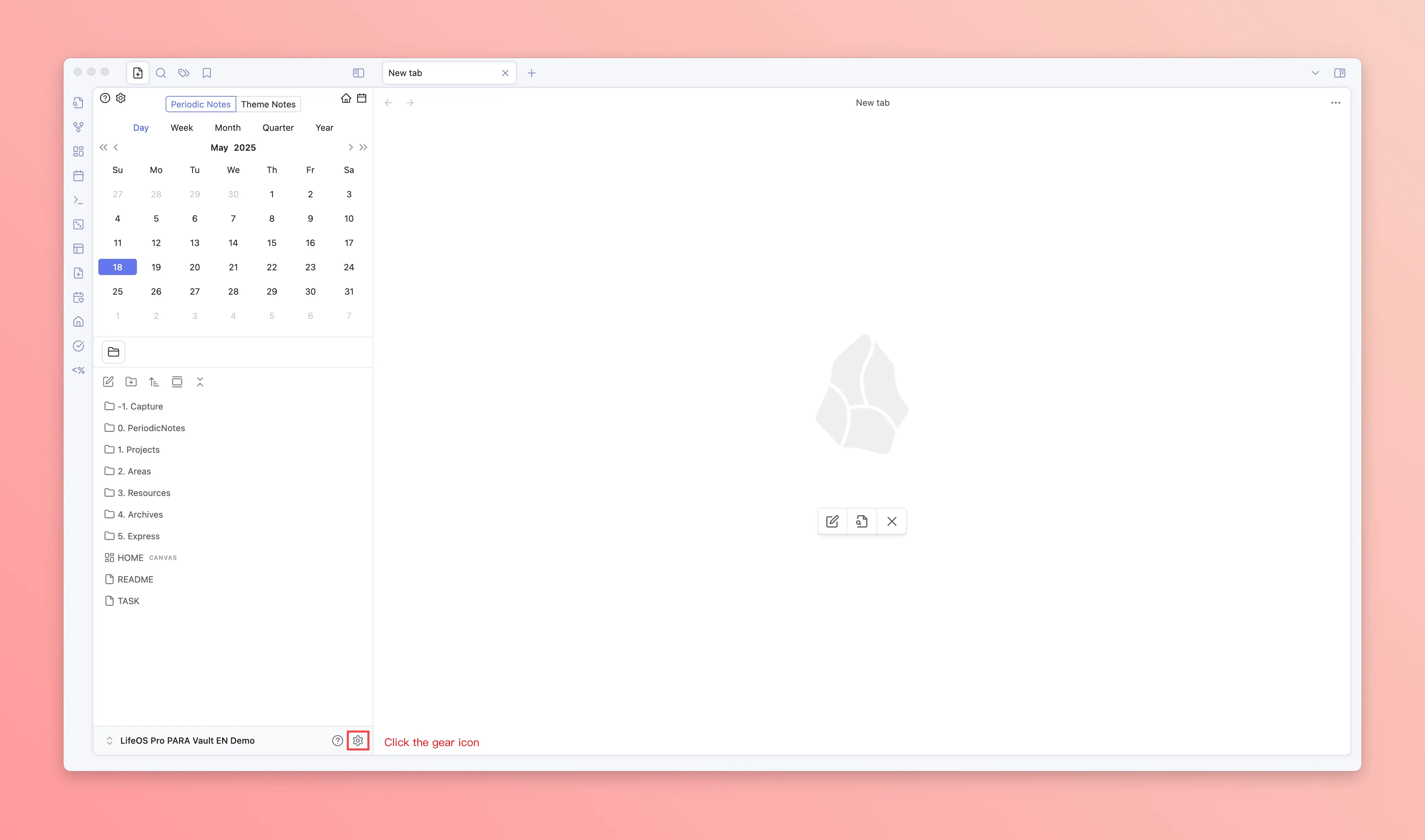
Each setting in the plugin comes with a description. Adjust them according to your needs—no further details are provided here.