
FREE
Visit Youtube for more information: https://www.youtube.com/watch?v=m-hD48UYRts
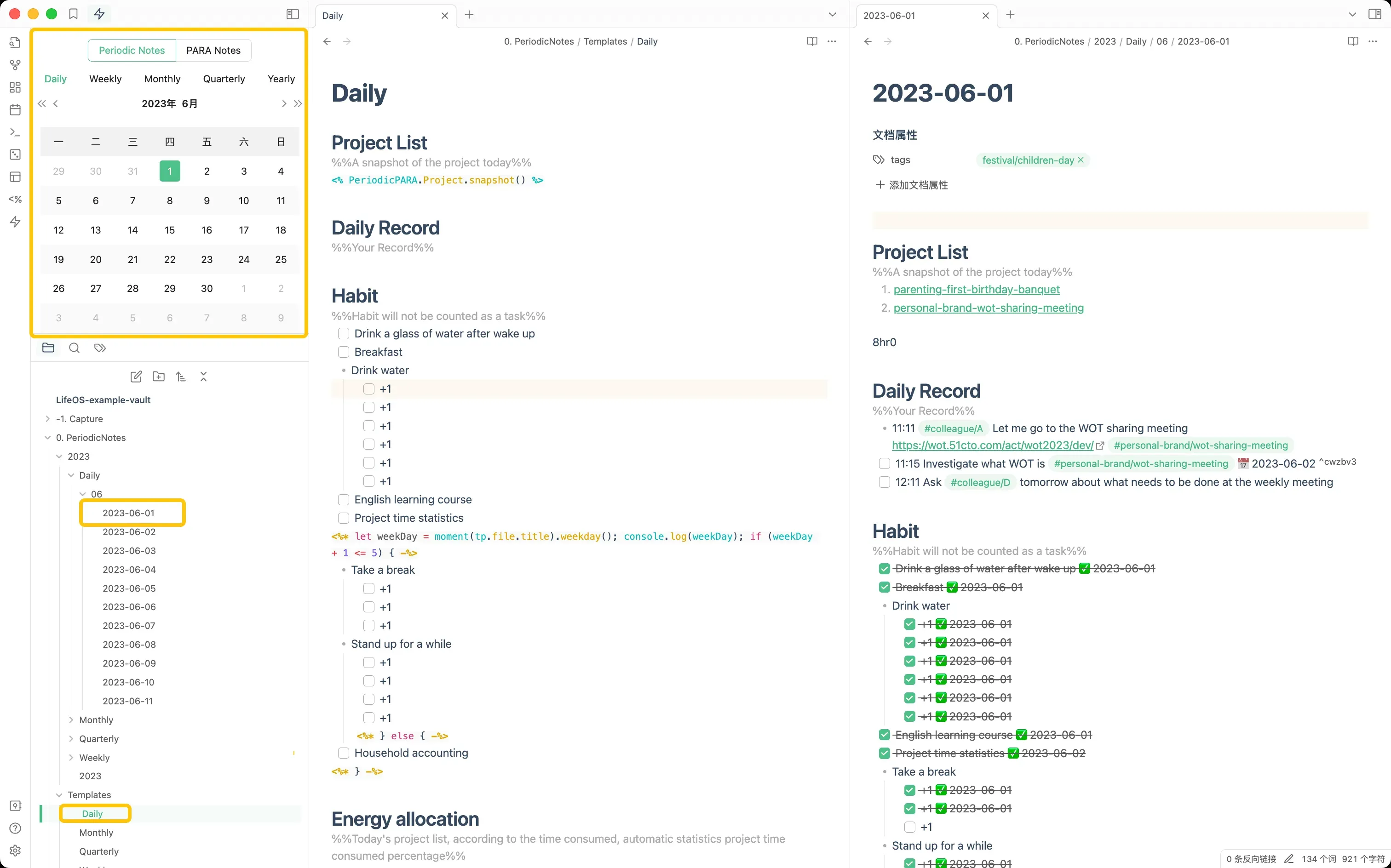
Create Notes Visually
See details in Guide
It is recommended to work with Templater, Be sure to enable the "Trigger Templater on new file creation" option of the Templater plugin, so that you can use the template variables and functions provided by Templater.
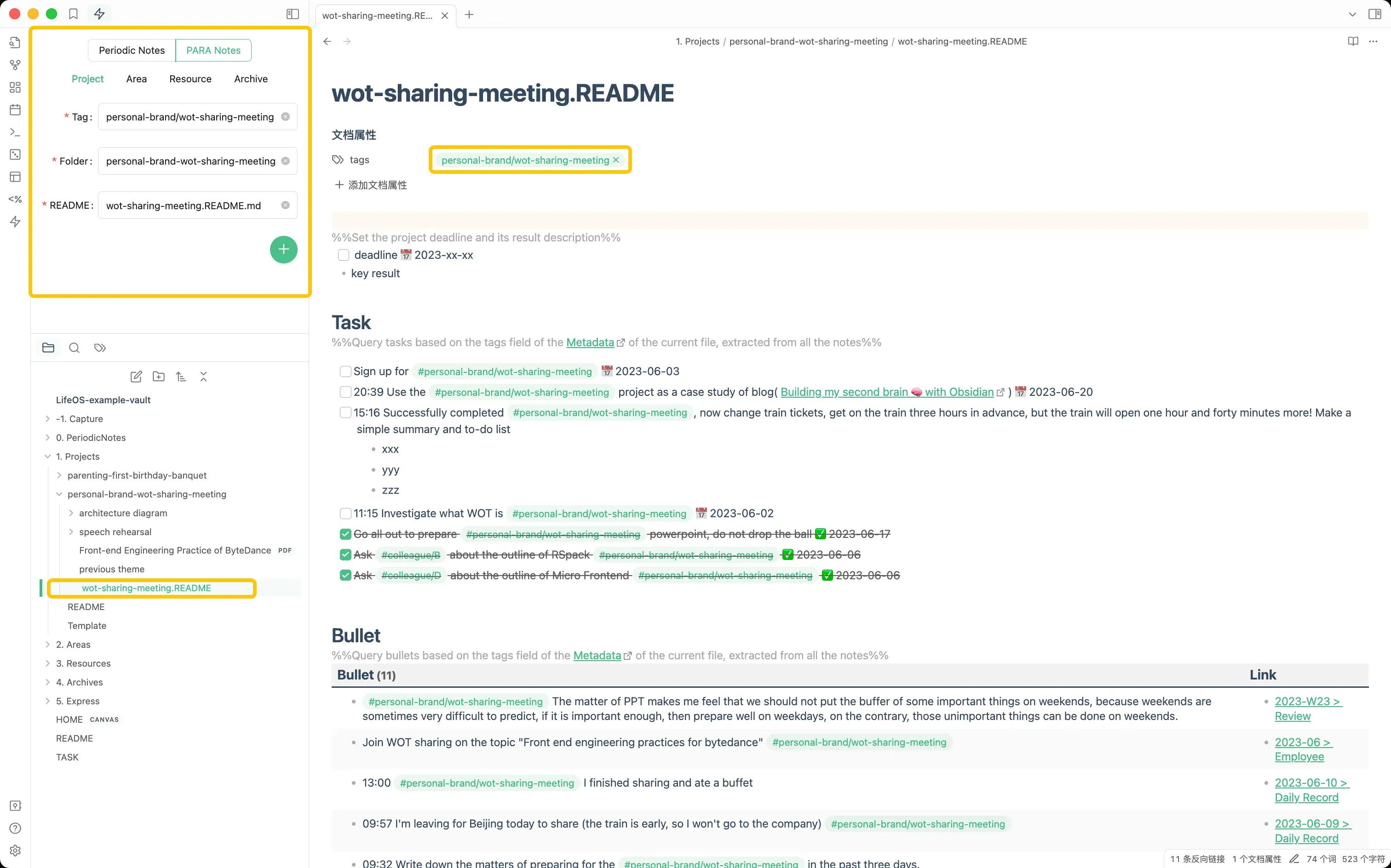
Main System
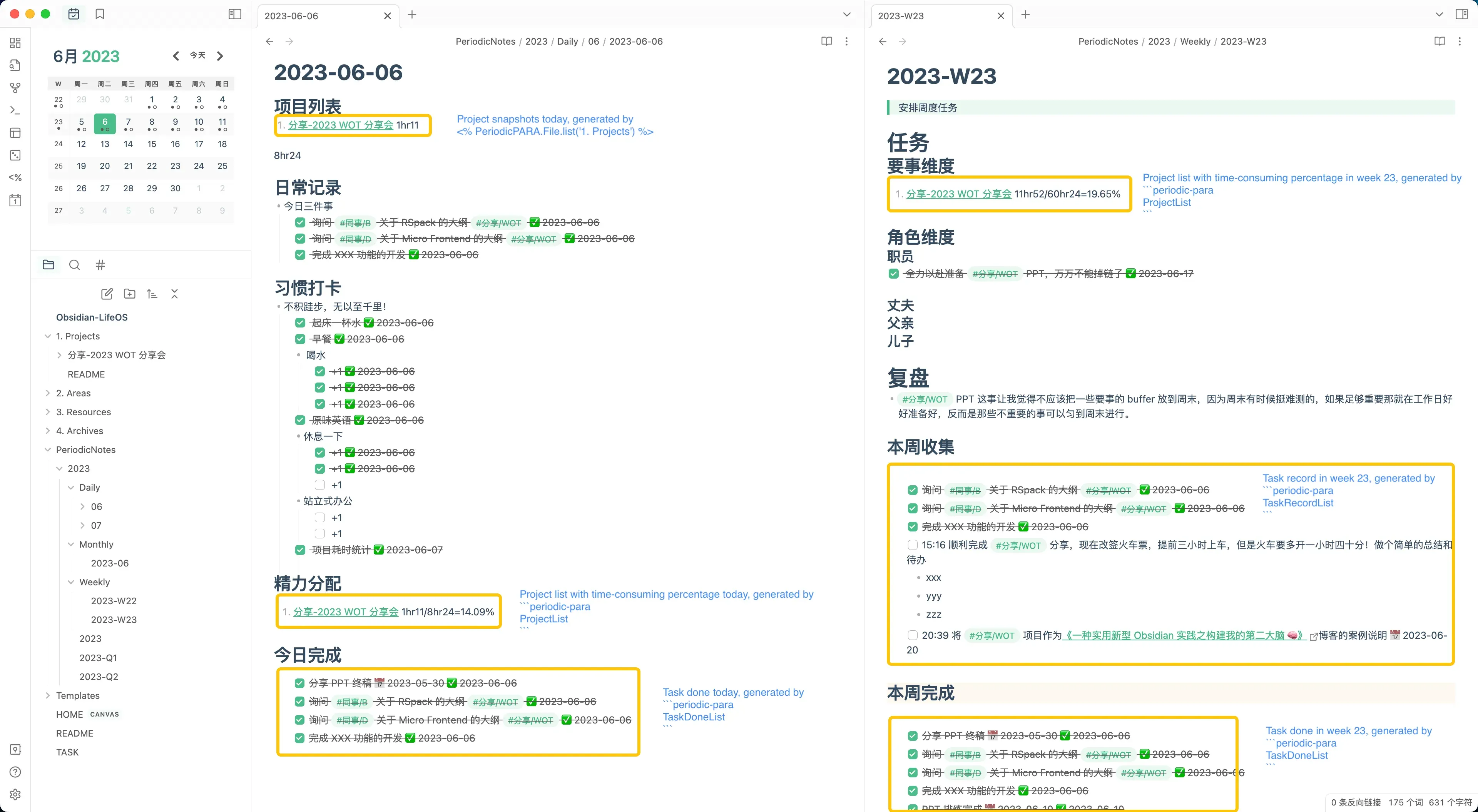
Periodic Notes System
See details in Guide
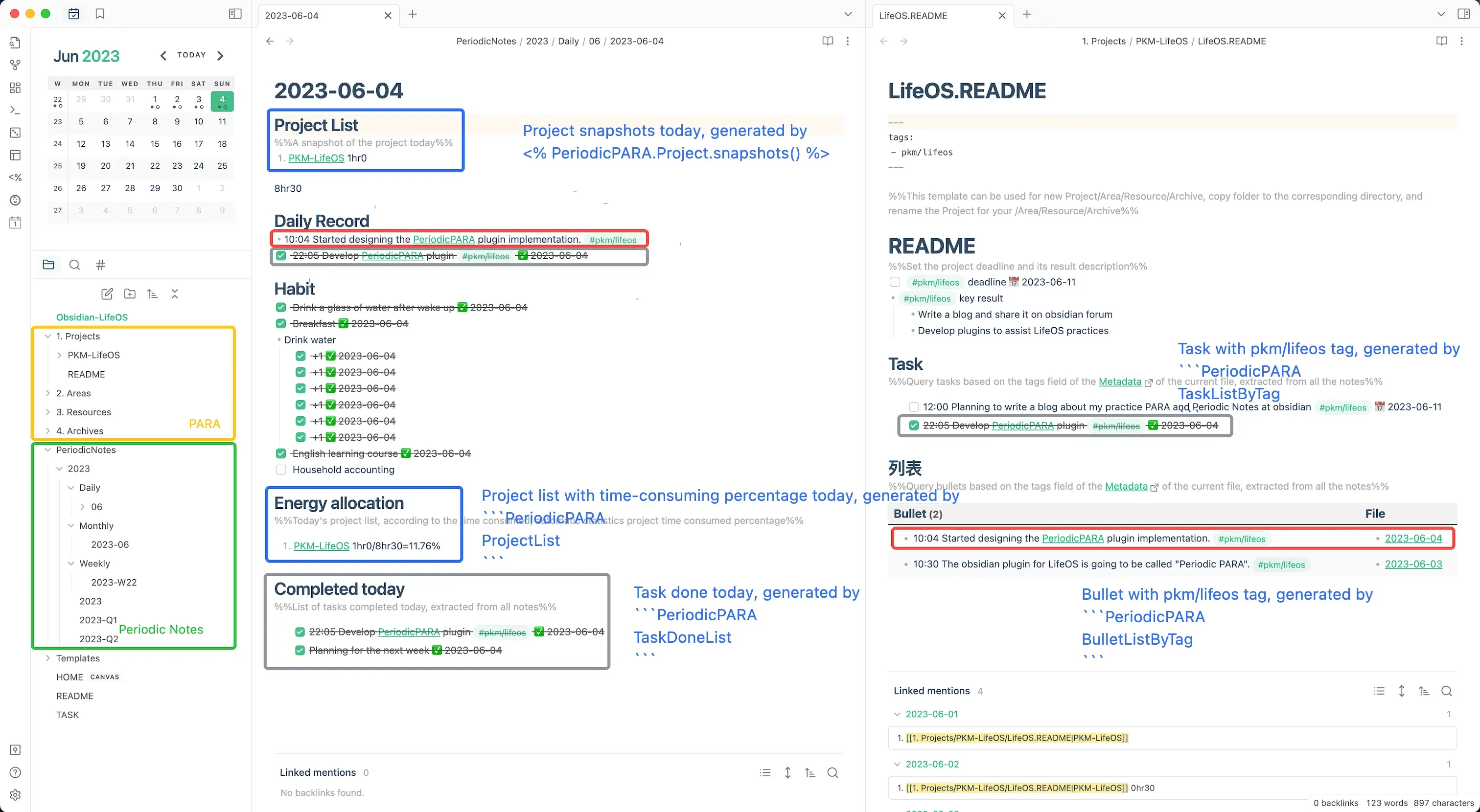
Knowledge Management System
See details in Guide
Daily Record and usememos
Capture daily inspiration quickly by usememos See details in Usage
Manner 1: Through Memos Web App
Manner 2: Through MoeMemos App
Manner 3: Through iOS Shortcut
Installation
Dataview is required, please install it first.
Recommended
LifeOS is available in the Obsidian community plugin browser!
- Search for "LifeOS" in Obsidian's community plugins browser.
- Enable the plugin in your Obsidian settings (find "LifeOS" under "Community plugins").
- Check the settings. You can customize the directory of periodic notes and PARA notes.
Settings
Move between PARA categories
Right-click on a subfolder within any PARA directory (Projects, Areas, Resources, Archives) to see "Move to" menu items, allowing you to quickly move folders between the four PARA categories. For example, move a completed project from "Projects" to "Archives".
Requires PARA Notes to be enabled in settings.
Usage
Daily record
Integration with usememos, you need to deploy your own usememos.
Or use the demo to experience.
Query code block
LifeOS works by writing markdown code block, which query project, area, task list according to the date parsed from current filename, and query task, bullet, file, project, area, resource, archive list according to the tags parsed from Properties.
Query by time
Time scope is parsed from current file name, for example:
- 2023-01-01.md // Only 1 January is included
- 2023-W21.md // Every day of week 21
- 2023-06.md // Every day and every week of June
- 2023-Q3.md // Every day, every week, every month of Quarter 3
- 2023.md // Every day, every week, every month, every quarter of 2023
BulletRecordListByTimecollects non-task bullet items from daily notes within the date range, specifically from the "Daily Record" header section. Requires the "Daily Record Header" setting to match the actual header name in your daily notes.
Query by tag
Tags is parsed from the Properties of current file, for example:
The following code block would use project-1 as the tag for the query.
Query para by folder
Templater helper functions
This section documents the legacy community / open-source LifeOS syntax, which depends on Templater. For the new LifeOS Pro built-in template syntax, see Template Syntax.
Generate list
Generate a list of README.md snapshots in the specified directory.
For example:
to
Acknowledgements
Also, I relied on the code from these excellent plugins, vault, and inspirations:
- PARA. Thanks to Tiago Forte for inventing such a great organizational method.
- PARA Starter Kit. Thanks to cotemaxime for creating such a great starter vault.
- obsidian-periodic-notes. Gave me the inspiration to develop this plugin.
- obsidian-dataview. The underlying plugin uses dataview's query interface.
- Templater. Provides decoupled template creation, allowing a very large number of plugins to create files with the help of it.